Author: livserv

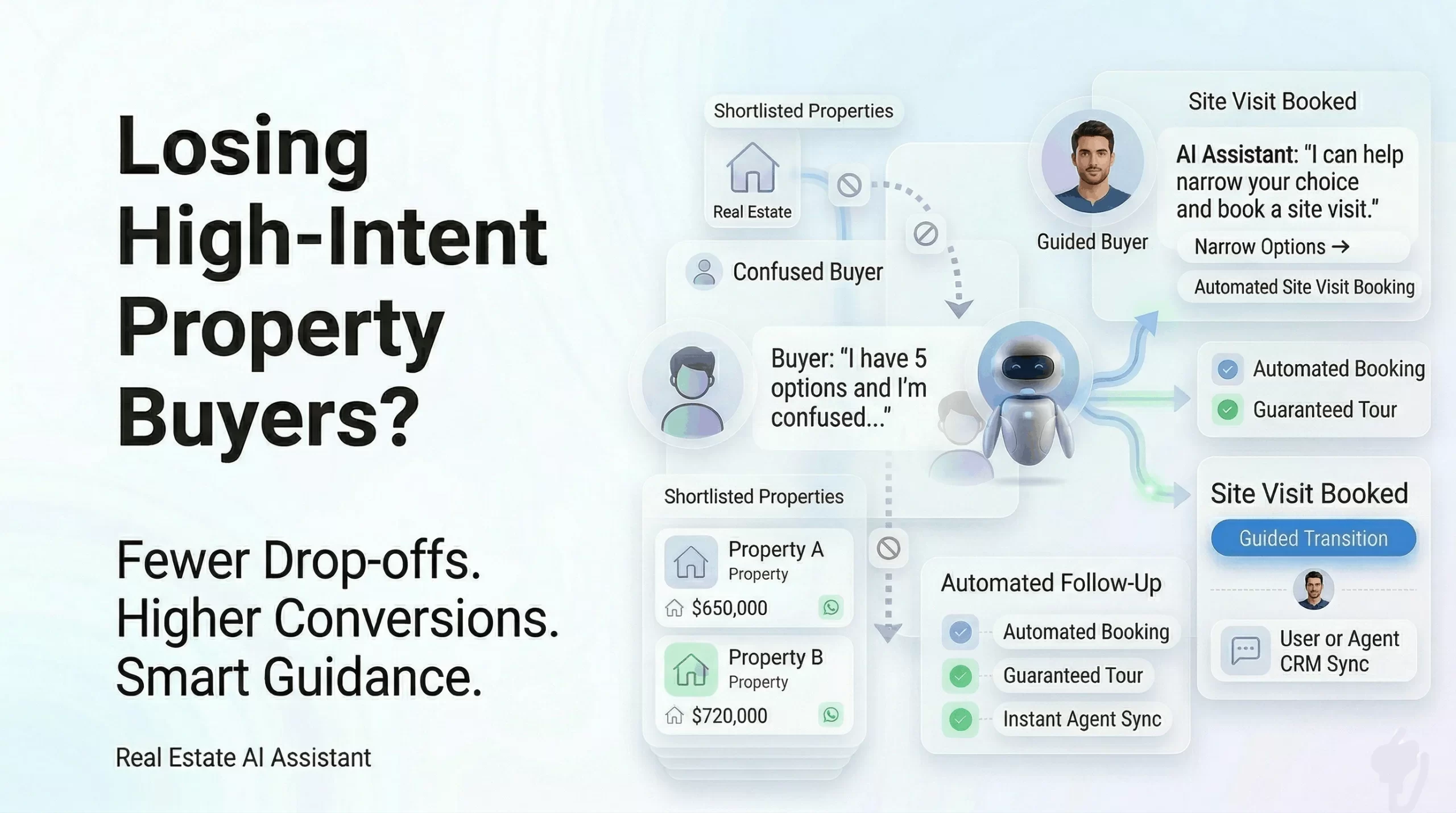
  • Why Real Estate Buyers Drop After Shortlisting Properties

    Why Real Estate Buyers Drop After Shortlisting Properties

    The Most Expensive Lead You’re Losing

    A potential buyer lands on your website. They browse multiple properties, compare options, and shortlist a few.

    This is not a casual visitor. This is a high-intent buyer.

    They are close to making a decision. But instead of booking a site visit, they leave.

    No call. No inquiry. No conversion.

    This is one of the biggest hidden revenue leaks in real estate.

    The Most Critical Drop-Off Stage in Real Estate

    The real estate buyer journey looks simple:

    Browse → Shortlist → Compare → Site Visit → Purchase

    But the biggest drop-off happens between:

    Property Shortlisting → Site Visit Booking

    This stage is critical because:

    • The buyer has already shown strong interest
    • They are actively evaluating options
    • They are closest to conversion

    Yet, most businesses fail to convert at this point.

    Understanding Buyer Psychology at the Shortlisting Stage

    At this stage, buyers are not asking “Should I buy?”

    They are asking:

    • Which property is better?
    • Am I making the right decision?
    • What if I miss a better option?

    This creates decision pressure, confusion, and hesitation.

    If businesses don’t guide them at this moment, buyers delay or leave.

    Why High-Intent Buyers Drop Off (Deep Breakdown)

    1. Decision Paralysis from Too Many Options

    Buyers compare multiple properties across price, location, amenities, and future value.

    This creates cognitive overload.

    When overwhelmed, buyers don’t decide — they delay.

    Without guidance, confusion increases and conversion drops.

    2. Unanswered Micro-Doubts

    Buyers at this stage have very specific questions:

    • Is this unit available?
    • What is the final price?
    • What are the exact amenities?
    • What is the possession timeline?

    These are small doubts, but they have a big impact.

    Unanswered doubts reduce confidence and kill momentum.

    3. Friction in Site Visit Booking

    Most businesses still rely on:

    • Forms
    • Manual calls
    • Delayed coordination

    For a buyer ready to act, this feels like unnecessary effort.

    Even small friction leads to drop-offs.

    4. Lack of Instant Engagement

    Real estate decisions are time-sensitive.

    If buyers don’t get instant responses:

    • Interest drops
    • Attention shifts
    • Competitors win

    The fastest responder wins the deal.

    5. No Follow-Up on Shortlisted Properties

    Most businesses don’t track user behavior.

    So follow-ups are generic instead of personalized.

    Generic follow-ups get ignored.

    What This Drop-Off Is Costing Your Business

    You are losing:

    • High-quality buyers
    • Marketing investment
    • Site visit opportunities
    • Revenue potential

    You’re not losing traffic. You’re losing buyers who were ready.

    How Livserv AI Chatbot Solves Real Real Estate Challenges

    Real estate problems are not generic. They are complex and happen across the entire funnel.

    Livserv AI chatbot is designed to solve these real challenges end-to-end.

    1. Solving Low-Quality Lead Problem

    Instead of capturing raw leads, the chatbot:

    • Asks qualifying questions (budget, location, timeline)
    • Segments users into hot, warm, and cold leads
    • Passes only high-intent leads to sales teams

    This improves sales efficiency and conversion rates.

    2. Solving Property Comparison Confusion

    The chatbot acts like a digital property advisor.

    It:

    • Compares shortlisted properties
    • Highlights key differences
    • Recommends best-fit options

    This reduces confusion and accelerates decisions.

    3. Solving Site Visit Booking Friction

    Instead of manual processes, buyers can:

    • Select date and time instantly
    • Book visits in one click

    No delays. No back-and-forth.

    4. Solving Slow Response Problem

    The chatbot provides:

    • Instant answers to queries
    • 24/7 availability
    • Simultaneous conversations

    This ensures no buyer waits.

    5. Solving Follow-Up Gaps

    The chatbot tracks behavior and sends:

    • Personalized reminders
    • Relevant property suggestions
    • Site visit nudges

    This keeps buyers engaged until conversion.

    6. Solving Sales Context Problem

    Sales teams get complete insights:

    • Viewed properties
    • User preferences
    • Interaction history

    This makes conversations more effective and personalized.

    7. Solving ROI Problem

    The chatbot:

    • Improves lead-to-visit conversion
    • Maximizes existing traffic
    • Reduces wasted ad spend

    More conversions without increasing budget.

    8. Solving Decision-Stage Drop-Off

    The chatbot engages exactly when:

    • buyers shortlist properties
    • confusion peaks

    It provides:

    • Guidance
    • Answers
    • Instant booking

    This is where maximum revenue is recovered.

    9. Solving Multi-Channel Communication Issues

    The chatbot integrates across:

    • Website
    • WhatsApp

    Providing a consistent experience everywhere.

    10. Solving Scalability Challenges

    Instead of hiring more agents:

    • The chatbot handles thousands of conversations
    • Works without human limitations

    Scale without increasing cost.

    Before vs After Using AI Chatbot

    StageWithout AIWith AI
    ShortlistingPassiveGuided
    QueriesDelayedInstant
    BookingManualAutomated
    Follow-UpsGenericPersonalized
    ConversionLowHigh

    Final Insight: AI Chatbot Is a Sales Engine, Not Just a Tool

    Most businesses think chatbots are for support.

    But in reality:

    They are a conversion engine.

    They solve gaps in:

    • speed
    • decision-making
    • engagement
    • follow-ups

    Conclusion: You Don’t Need More Leads

    You already have buyers who are ready.

    The problem is:

    You are missing the moment when they need you most.

    High intent doesn’t last forever.

    Every delay creates doubt.

    And buyers don’t wait — they move on.

    Fix the gap between shortlisting and site visit booking, and you unlock massive revenue potential.

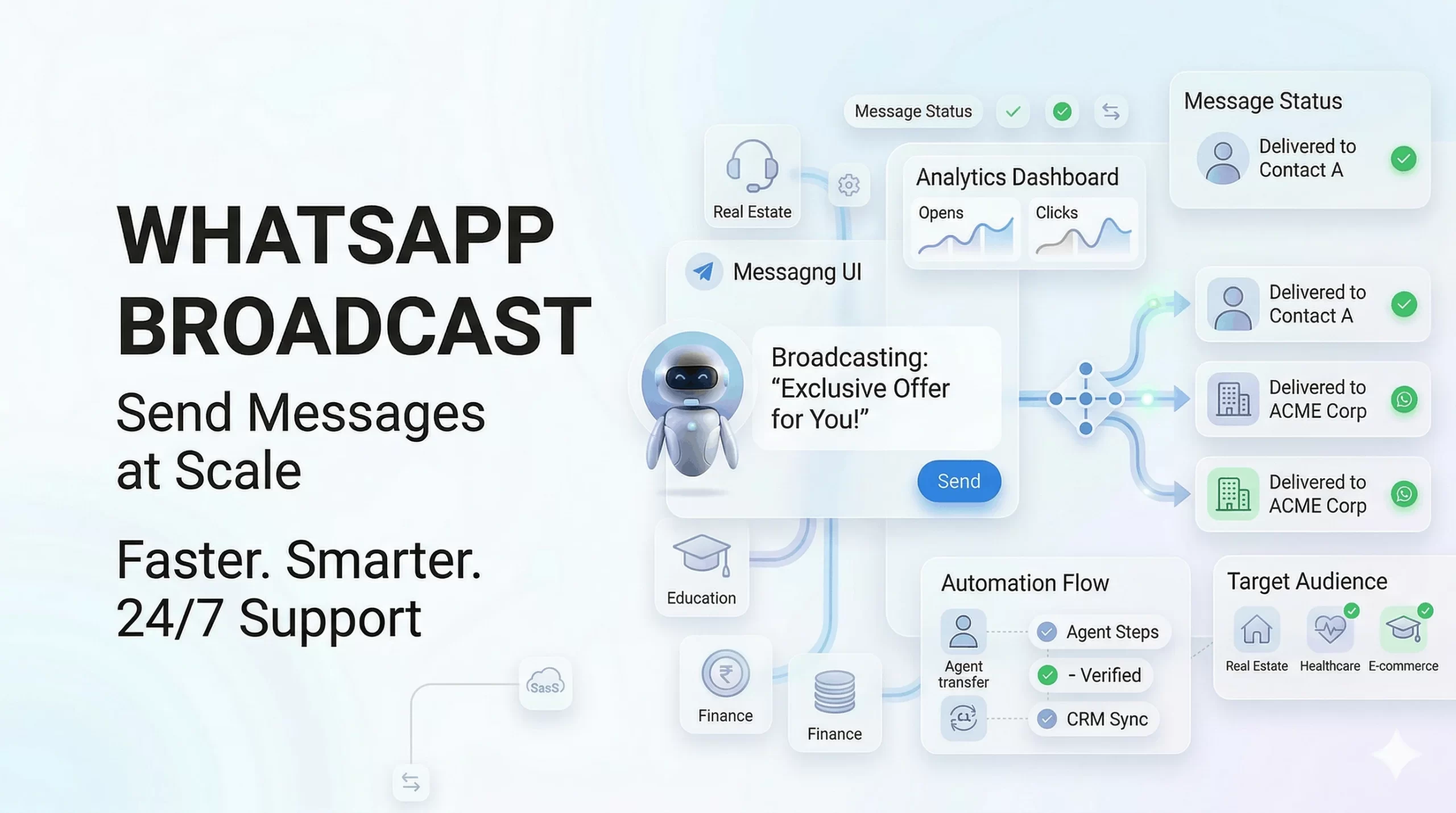
  • WhatsApp Broadcast: Complete Guide for Businesses (Step-by-Step Setup)

    WhatsApp Broadcast: Complete Guide for Businesses (Step-by-Step Setup)

    WhatsApp is one of the most powerful marketing channels today.

    With billions of users, it gives businesses a direct way to reach customers instantly.

    The challenge? Most businesses don’t know how to send bulk messages effectively without spamming or getting blocked.

    This guide will show you exactly how to use WhatsApp broadcast step-by-step, including real setup links and scalable methods.


    What is WhatsApp Broadcast?

    WhatsApp broadcast is a feature that allows you to send a single message to multiple contacts individually, without creating a group.

    Each recipient receives the message as a private chat.

    Key difference:

    • Broadcast: One-to-many, private conversations
    • Group: Many-to-many, visible to all participants

    Direct answer: WhatsApp broadcast lets you send bulk messages while maintaining personal conversations.


    How WhatsApp Broadcast Works

    • Messages are sent individually to each contact
    • Important: Users must have your number saved to receive messages (for app-based broadcast)
    • Replies come as private chats

    Limitation: Without API, reach is restricted and not scalable.


    Types of WhatsApp Broadcast Methods

    Method 1: WhatsApp Business App (Basic Method)

    Step-by-Step:

    1. Open WhatsApp Business app
    2. Tap the three-dot menu (top right)
    3. Click New Broadcast
    4. Select contacts
    5. Type your message and send

    Limitations:

    • Contacts must save your number
    • Limited number of recipients
    • No automation or scheduling

    Method 2: WhatsApp Business API (Best for Businesses)

    WhatsApp Business API enables scalable broadcast messaging without the limitations of the app.

    What you get:

    • Bulk messaging at scale
    • No contact-saving dependency
    • Automation and scheduling
    • CRM integration

    Step-by-Step Setup Using WhatsApp API

    Follow these steps to start WhatsApp broadcast at scale:

    Step 1: Create Meta Business Account

    Go to: https://business.facebook.com/

    • Create or log in to your account
    • Add your business details

    Step 2: Apply for WhatsApp Business API

    Go to: https://www.whatsapp.com/business/api

    • Submit your business details
    • Request API access

    Step 3: Verify Your Business

    • Upload legal documents
    • Complete Meta business verification

    Step 4: Choose a Solution Provider

    • You need a platform to use the API
    • Providers like Livserv.ai help with setup, automation, and campaigns

    Step 5: Set Up Broadcast Campaigns

    • Create message templates
    • Select audience segments
    • Schedule or send campaigns

    Result: You can send bulk WhatsApp messages automatically at scale.


    WhatsApp Broadcast vs WhatsApp Groups

    FeatureBroadcastGroup
    Message TypeOne-to-manyMany-to-many
    PrivacyPrivate chatsVisible to all
    RepliesIndividualGroup visible
    Use CaseMarketing, updatesDiscussions

    Benefits of WhatsApp Broadcast

    • Direct Communication: Reach users instantly
    • High Open Rates: WhatsApp messages are highly read
    • Personalized Messaging: Feels like 1:1 conversation
    • Scalable Outreach: Send to large audiences

    Use Cases for WhatsApp Broadcast

    • Promotions and offers
    • Product launches
    • Event announcements
    • Appointment reminders
    • Customer re-engagement

    Best Practices for WhatsApp Broadcast

    • Avoid Spam: Send only relevant messages
    • Personalize Content: Use names and segments
    • Segment Audience: Target the right users
    • Optimize Timing: Send at peak engagement hours

    Common Mistakes to Avoid

    • Sending irrelevant messages
    • Overusing broadcasts
    • Ignoring opt-in requirements

    Key insight: Poor messaging leads to blocks and low engagement.


    WhatsApp Broadcast for Marketing (Advanced)

    • Campaign Strategy: Plan structured campaigns
    • Segmentation: Divide audience based on behavior
    • Automation: Use tools for follow-ups and sequences

    Insight: Businesses using automation see higher conversions.


    Why Businesses Use Platforms Like Livserv.ai

    Platforms like Livserv.ai simplify WhatsApp broadcast and automation.

    • Bulk messaging campaigns
    • Automation workflows
    • Scheduling messages
    • Chatbot integration

    Positioning: It helps businesses scale communication and improve engagement.


    FAQs: WhatsApp Broadcast

    What is WhatsApp broadcast?

    It allows sending a message to multiple contacts individually.

    Is WhatsApp broadcast free?

    It is free in the app, but API usage involves costs.

    How many contacts can I send?

    App has limits, API allows large-scale messaging.

    Can I send messages without saving contacts?

    Only with WhatsApp API.

    Is WhatsApp broadcast safe?

    Yes, when used with official tools.

    Can I automate broadcasts?

    Yes, using WhatsApp Business API platforms.

    What is the best method for businesses?

    WhatsApp API is the best for scalability.


    Conclusion: Start Using WhatsApp Broadcast Today

    WhatsApp broadcast is one of the most effective ways to reach customers directly.

    • Basic method → simple but limited
    • API method → scalable and powerful

    Final takeaway: For serious marketing and automation, use WhatsApp Business API.

    Platforms like Livserv.ai help you set up broadcast campaigns, automate messaging, and scale your business communication.

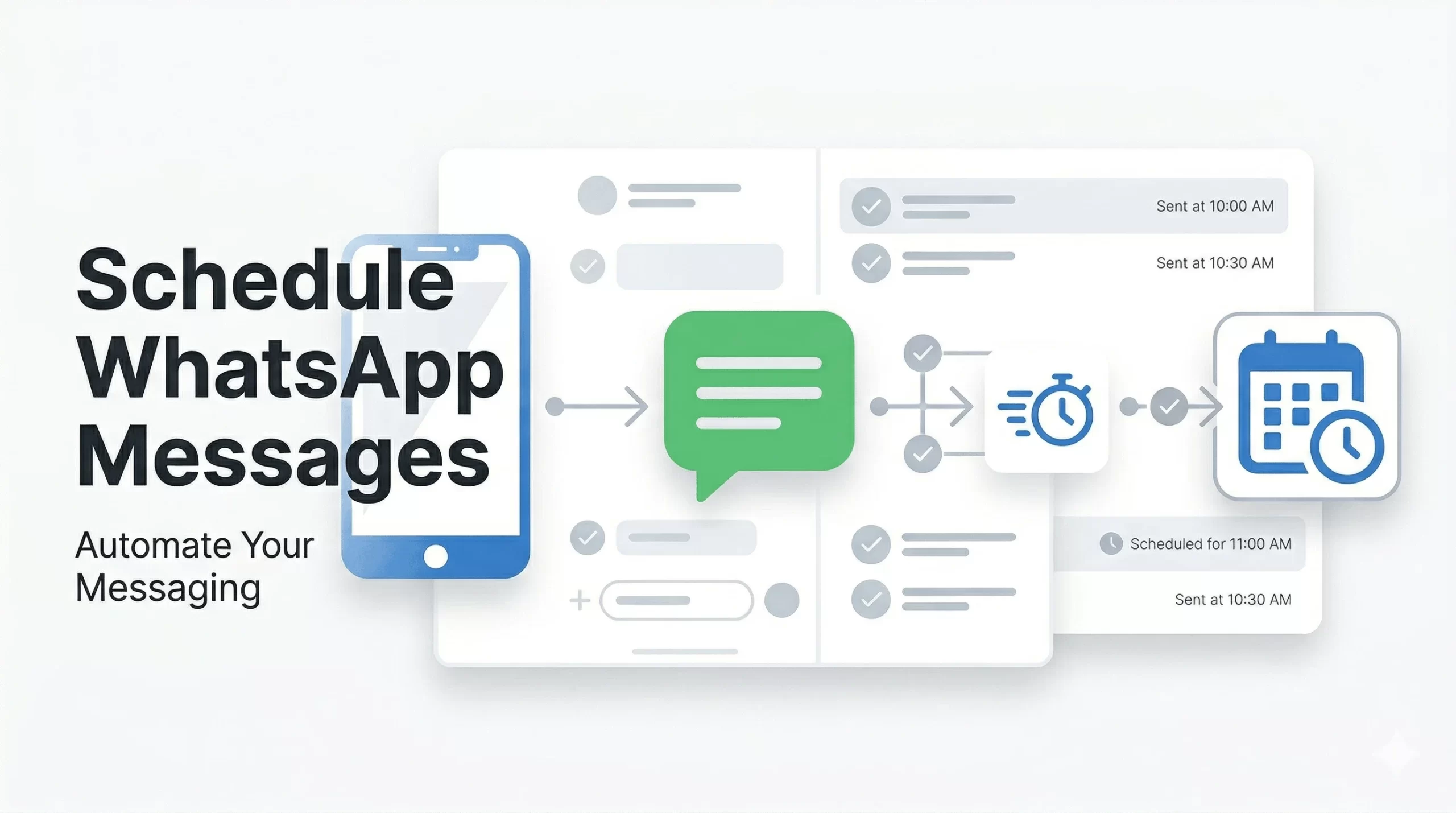
  • How to Schedule Messages on WhatsApp (Step-by-Step Guide for 2026)

    How to Schedule Messages on WhatsApp (Step-by-Step Guide for 2026)

    Timing matters in communication.

    Whether it’s a sales follow-up, reminder, or marketing message, sending it at the right time can make a huge difference.

    The problem? Manually sending WhatsApp messages is time-consuming and inefficient.

    This guide shows you how to schedule WhatsApp messages using multiple methods—from basic workarounds to advanced automation.


    Can You Schedule Messages on WhatsApp?

    No, WhatsApp does not have a built-in feature to schedule messages.

    However, you can schedule WhatsApp messages using:

    • Manual workarounds (limited functionality)
    • Third-party tools (basic scheduling)
    • WhatsApp Business API (fully automated and scalable)

    The only reliable way to schedule WhatsApp messages automatically is by using WhatsApp API-based automation tools.


    Methods to Schedule WhatsApp Messages

    Method 1: Using WhatsApp Business App (Manual Workarounds)

    WhatsApp Business does not offer direct scheduling, but you can use basic features:

    • Labels: Organize contacts for follow-ups
    • Quick Replies: Save common messages
    • Reminders: Use phone reminders to send messages manually

    Limitations:

    • No automatic sending
    • Manual effort required
    • Not scalable

    Method 2: Using Third-Party Apps (Basic Scheduling)

    Some apps allow message scheduling with limited automation.

    Pros:

    • Easy to use
    • Basic scheduling features

    Cons:

    • Reliability issues
    • Limited scalability
    • May not comply with WhatsApp policies

    Insight: Suitable for individuals, not for serious business use.


    Method 3: Using WhatsApp Business API (Best Method for Automation)

    The WhatsApp Business API is the most effective way to schedule messages automatically at scale.

    Unlike manual methods, API-based solutions allow businesses to automate messaging completely.

    What you can do with WhatsApp API:

    • Schedule messages in advance (date & time)
    • Send bulk campaigns to multiple users
    • Automate follow-ups and reminders
    • Integrate with CRM and marketing tools

    Key insight: If your goal is lead generation, follow-ups, or marketing automation, API-based scheduling is the only scalable solution.


    Step-by-Step: How to Schedule WhatsApp Messages Automatically

    Follow these steps to fully automate WhatsApp message scheduling:

    Step 1: Set Up WhatsApp Business API

    • Choose an official WhatsApp API provider
    • Complete Meta business verification

    Step 2: Connect Your WhatsApp Number

    • Link your business number to the platform
    • Ensure the number is active and approved

    Step 3: Create a Message Template

    • Write a clear, engaging message
    • Submit for WhatsApp approval (required for outbound messages)

    Step 4: Select Audience

    • Choose contacts, segments, or lead lists
    • Target the right users for better results

    Step 5: Schedule Date and Time

    • Pick the exact time you want the message sent
    • Align timing with user behavior for higher engagement

    Step 6: Activate Automation

    • Launch the campaign
    • Messages will be sent automatically without manual effort

    Result: Your WhatsApp messages are delivered automatically at the right time, improving response rates and conversions.


    Use Cases for Scheduling WhatsApp Messages

    • Appointment Reminders: Reduce no-shows
    • Marketing Campaigns: Send offers at peak times
    • Follow-Ups: Engage leads automatically
    • Event Notifications: Remind attendees
    • Customer Engagement: Stay connected consistently

    Benefits of Scheduling WhatsApp Messages

    • Saves Time: Eliminates manual follow-ups
    • Improves Response Rates: Messages sent at optimal times
    • Increases Conversions: Timely communication drives action
    • Ensures Consistency: No missed messages or delays
    • Scales Easily: Handle thousands of users automatically

    Key takeaway: Scheduled messaging directly improves engagement and revenue outcomes.


    Common Mistakes to Avoid

    • Over-Messaging: Too many messages annoy users
    • Wrong Timing: Poor timing reduces engagement
    • Lack of Personalization: Generic messages perform poorly

    Tip: Always focus on relevance and timing.


    Why Businesses Choose Platforms Like Livserv.ai for WhatsApp Scheduling

    Automation platforms like Livserv.ai make WhatsApp scheduling simple and scalable.

    • Easy Scheduling: Set messages once and automate completely
    • Lead Generation Focus: Capture and nurture leads automatically
    • WhatsApp Automation: Build end-to-end workflows
    • Chatbot Integration: Engage users instantly

    Practical advantage: Businesses can automate follow-ups, campaigns, and customer engagement without manual effort.


    FAQs: Scheduling WhatsApp Messages

    Can you schedule messages on WhatsApp?

    No, not natively. You need third-party tools or WhatsApp API.

    Is it free to schedule messages?

    Basic methods may be free, but automation tools usually have costs.

    What is the best way to schedule WhatsApp messages?

    Using WhatsApp Business API is the most reliable method.

    Can businesses automate WhatsApp messages?

    Yes, using API-based platforms.

    Is WhatsApp automation safe?

    Yes, when using official API providers.

    Can I send bulk scheduled messages?

    Yes, using WhatsApp API solutions.


    Conclusion: What’s the Best Way to Schedule WhatsApp Messages?

    The best way to schedule WhatsApp messages depends on your needs:

    • Manual methods: Suitable for personal use
    • Third-party tools: Limited and basic
    • WhatsApp API: Best for automation and business growth

    Final answer: If you want reliable, scalable, and automated scheduling, WhatsApp API is the best solution.

    Platforms like Livserv.ai help businesses automate messaging, improve engagement, and increase conversions through WhatsApp.

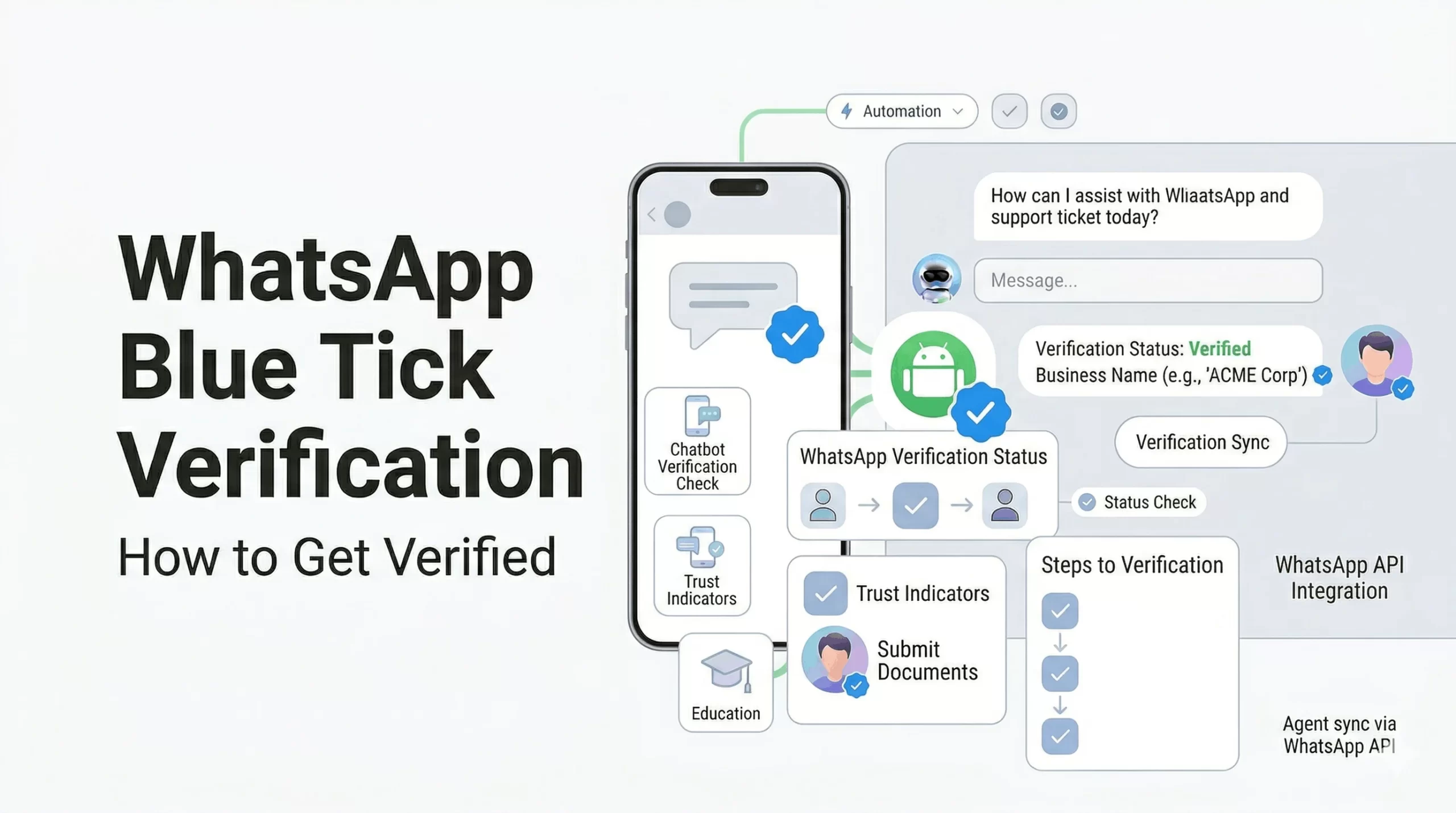
  • WhatsApp Blue Tick Verification: How to Get Verified in 2026

    WhatsApp Blue Tick Verification: How to Get Verified in 2026

    WhatsApp Blue Tick Verification: Complete Guide for Businesses (2026)

    Trust is everything in business communication.

    When customers see a verified badge on WhatsApp, they instantly feel more confident engaging with your brand.

    This guide explains WhatsApp blue tick verification, how it works, and exactly how to get it for your business.


    What is WhatsApp Blue Tick Verification?

    WhatsApp blue tick verification is an official badge given to verified business accounts, confirming that the account belongs to a notable and authentic brand.

    This badge appears next to your business name, even if the number is not saved by the user.

    Key point: Only approved businesses get this badge, making it a strong trust signal.


    Benefits of WhatsApp Blue Tick Verification

    • Builds Trust: Customers recognize your brand as authentic
    • Higher Engagement: People are more likely to respond
    • Brand Visibility: Name appears without saving contact
    • Improved Conversions: Trust leads to better sales
    • Reduced Spam Perception: Users see you as legitimate

    Insight: Verified accounts typically see better response rates and engagement.


    WhatsApp Business Account Types

    1. Regular Business Account

    • Created using WhatsApp Business App
    • No verification badge
    • Basic features

    2. Official Business Account (Blue Tick)

    • Verified by Meta
    • Displays blue tick badge
    • Higher trust and visibility

    Key difference: Only official business accounts get the blue tick.


    Eligibility Criteria for WhatsApp Blue Tick

    WhatsApp does not approve every business. You must meet specific criteria:

    • Business Authenticity: Verified business details
    • Brand Recognition: Known brand presence
    • Media Coverage: Articles or PR mentions
    • Active Usage: Regular WhatsApp communication

    Important: Notability is one of the biggest factors in approval.


    How to Get WhatsApp Blue Tick Verification (Step-by-Step)

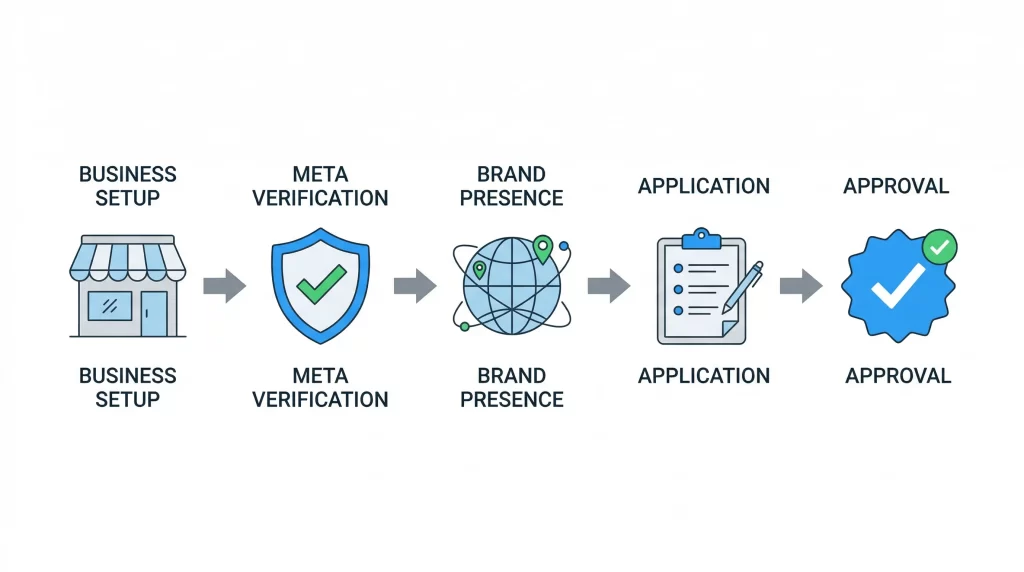
    Step 1: Register for WhatsApp Business API

    • You must use WhatsApp Business API (not just the app)
    • Work with an official provider

    Step 2: Verify Your Business with Meta

    • Submit business documents
    • Complete Meta Business verification

    Step 3: Build Strong Brand Presence

    • Create a professional website
    • Maintain active social media profiles
    • Get media coverage or PR mentions

    Step 4: Apply for Official Business Account

    • Submit request through WhatsApp Business Manager
    • Provide brand details and justification

    Step 5: Wait for Approval

    • Meta reviews your application
    • Approval is based on credibility and notability

    Key takeaway: Verification is based on trust, not just application.


    Common Reasons for Rejection

    • Low Brand Presence: No strong online identity
    • No Media Mentions: Lack of credibility signals
    • Incomplete Verification: Missing documents
    • Inactive Usage: Not actively using WhatsApp API

    Insight: Most rejections happen due to lack of brand authority.


    Tips to Increase Approval Chances

    • Build Online Presence: Website + SEO + social media
    • Get Media Coverage: PR articles, news mentions
    • Use WhatsApp Actively: Regular customer engagement
    • Maintain Brand Consistency: Same name across platforms

    Pro tip: Strong brand signals significantly improve approval chances.


    How Livserv.ai Helps with WhatsApp Verification

    Livserv.ai helps businesses streamline the entire process:

    • WhatsApp API Setup: Quick onboarding and integration
    • Automation: Chatbot workflows for engagement
    • Verification Support: Guidance for Meta approval
    • Lead Generation: Convert conversations into customers

    Positioning: It enables businesses to set up WhatsApp automation and improve their chances of verification.


    FAQs: WhatsApp Blue Tick Verification

    How to get WhatsApp blue tick verification?

    You need WhatsApp Business API, Meta verification, and strong brand presence.

    Is WhatsApp verification free?

    No, it requires API access and business setup costs.

    How long does approval take?

    It can take a few days to a few weeks.

    Can small businesses get verified?

    Yes, but they need strong brand visibility and credibility.

    What is the difference between green tick and blue tick?

    Both refer to official business verification, depending on region and UI.

    Is media coverage required?

    Yes, it significantly improves approval chances.


    Conclusion: Build Trust with WhatsApp Verification

    WhatsApp blue tick verification is a powerful trust signal for businesses.

    It helps increase engagement, improve credibility, and drive conversions.

    Final takeaway: Focus on building a strong brand presence before applying.

    Platforms like Livserv.ai can help you set up WhatsApp automation and guide you through the verification process.

  • 10 Common Chatbot Mistakes Businesses Make (And How to Avoid Them)

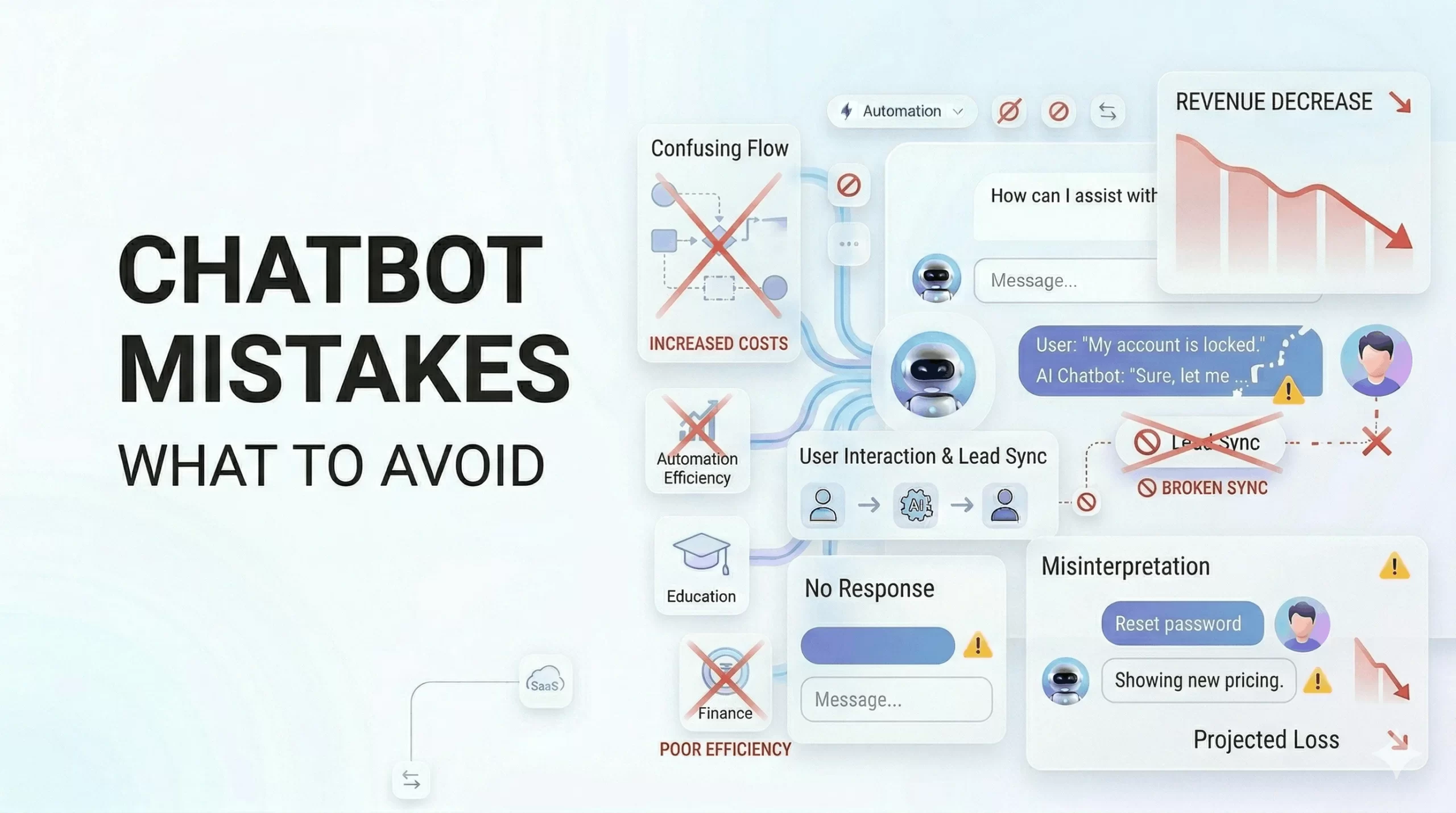
    10 Common Chatbot Mistakes Businesses Make (And How to Avoid Them)

    10 Common Chatbot Mistakes Businesses Make (And How to Avoid Them)

    Many chatbot implementations fail—not because of technology, but because of poor strategy.

    Businesses invest in chatbots expecting instant results, but often end up with low engagement, poor conversions, and frustrated users.

    This guide explains the most common chatbot mistakes and how to avoid them to achieve better results.


    Why Many Chatbot Implementations Fail

    Most chatbot failures are caused by strategy and execution issues, not the technology itself.

    • Lack of planning: No clear use case or goal
    • Unrealistic expectations: Expecting instant ROI without optimization
    • Poor execution: Weak conversation design and setup

    Key insight: A chatbot is only as effective as the strategy behind it.


    Common Chatbot Mistakes

    1. Lack of Clear Objectives

    Problem: Businesses deploy chatbots without defining goals.

    • No clarity on whether the chatbot is for lead generation, support, or sales
    • No measurable success metrics

    Impact: Poor performance and unclear ROI.

    Fix: Define a clear primary goal before implementation.


    2. Overcomplicating the Chatbot

    Problem: Too many flows and complex interactions.

    • Confusing user journeys
    • Too many options presented at once

    Impact: Users drop off quickly.

    Fix: Keep flows simple and focused.


    3. Poor Conversation Design

    Problem: Chatbots sound robotic and unnatural.

    • Generic responses
    • No personalization

    Impact: Low engagement and trust.

    Fix: Use natural language and personalize interactions.


    4. Ignoring User Intent

    Problem: Chatbot does not understand what users want.

    • Irrelevant responses
    • Poor query handling

    Impact: Frustrated users and lost leads.

    Fix: Design flows based on real user queries and intent.


    5. No Integration with CRM or Systems

    Problem: Chatbot operates in isolation.

    • No data sync with CRM
    • No follow-up automation

    Impact: Missed opportunities and inefficiency.

    Fix: Integrate chatbot with CRM and tools.


    6. Not Optimizing for Lead Conversion

    Problem: Chatbot captures leads but does not convert them.

    • No qualification process
    • No follow-up strategy

    Impact: Low ROI.

    Fix: Design chatbot flows for conversion, not just interaction.


    7. Lack of Continuous Improvement

    Problem: Chatbot is not optimized after launch.

    • No tracking or analytics
    • No updates based on performance

    Impact: Stagnant or declining performance.

    Fix: Continuously analyze and improve chatbot flows.


    8. Over-reliance on Automation

    Problem: No human fallback option.

    • Users stuck with chatbot
    • Complex queries unresolved

    Impact: Poor customer experience.

    Fix: Provide seamless handoff to human agents.


    9. Slow or Poor Implementation

    Problem: Delayed deployment and weak setup.

    • Missed opportunities
    • Inefficient workflows

    Impact: Reduced business impact.

    Fix: Focus on fast and effective deployment.


    10. Choosing the Wrong Chatbot Platform

    Problem: Platform does not match business needs.

    • Too complex or too basic
    • Lack of required features

    Impact: Poor performance and wasted investment.

    Fix: Choose a platform aligned with your goals.


    Impact of These Mistakes on Business

    • Lost Leads: Missed opportunities
    • Poor Customer Experience: Frustrated users
    • Low ROI: Ineffective investment

    Key statement: Poor chatbot strategy leads to wasted potential and revenue loss.


    How to Avoid These Chatbot Mistakes

    • Define Clear Goals: Focus on one primary use case
    • Keep It Simple: Avoid overcomplication
    • Focus on User Experience: Design intuitive conversations
    • Integrate Systems: Connect CRM and tools
    • Optimize Continuously: Use data to improve performance

    Actionable insight: Start small, then scale based on results.


    Best Practices for Successful Chatbot Implementation

    • Clear Use Cases: Lead generation, support, or sales
    • Structured Flows: Logical conversation paths
    • Analytics Tracking: Measure performance
    • Continuous Improvement: Optimize regularly

    Key takeaway: Success comes from strategy, not just technology.


    How Livserv.ai Helps Avoid These Mistakes

    Livserv.ai is designed to address common chatbot challenges:

    • Ease of Use: Simple setup and management
    • Lead Generation Focus: Built for conversions
    • Automation Workflows: Streamlined processes
    • Integration Capabilities: Works with existing systems

    Positioning: It helps businesses avoid common implementation mistakes and achieve better results.


    FAQs: Chatbot Mistakes

    What are common chatbot mistakes?

    Common mistakes include lack of clear goals, poor design, and no optimization.

    Why do chatbots fail?

    They fail due to poor strategy, not technology.

    How can chatbot performance be improved?

    By optimizing flows, understanding user intent, and using analytics.

    Are chatbots hard to implement?

    No, but they require proper planning and execution.

    Can chatbots improve lead generation?

    Yes, when designed for conversion-focused workflows.

    Do chatbots need continuous updates?

    Yes, ongoing optimization is essential for success.


    Conclusion

    Chatbot success depends on strategy, execution, and continuous improvement.

    By avoiding common mistakes, businesses can:

    • Increase conversions
    • Improve customer experience
    • Maximize ROI

    Final takeaway: A well-designed chatbot is a powerful business asset.

    Platforms like Livserv.ai help businesses implement AI chatbots effectively for lead generation, customer engagement, and automation.

  • ROI of AI Chatbots: Data, Examples & Business Impact (2026 Guide)

    ROI of AI Chatbots: Data, Examples & Business Impact (2026 Guide)

    ROI of AI Chatbots: Data, Examples & Business Impact (2026 Guide)

    Businesses are investing heavily in AI—but one question remains: Is it worth it?

    For decision-makers, the biggest concern is not adoption. It’s return on investment (ROI).

    This guide breaks down the ROI of AI chatbots using real examples, data, and simple calculations.

    You’ll learn exactly how chatbots increase revenue, reduce costs, and deliver measurable business value.


    What is ROI of AI Chatbots?

    The ROI of AI chatbots measures the financial return a business gets from investing in chatbot technology.

    Formula:

    ROI = (Gain from Investment – Cost of Investment) / Cost of Investment

    Simple explanation: ROI shows whether your chatbot is generating more value than it costs.

    Key takeaway: A high-performing chatbot increases revenue while reducing operational costs.


    Why ROI Matters for Businesses

    • Budget Decisions: Justifies investment in AI tools
    • Performance Tracking: Measures business impact
    • Cost Optimization: Identifies savings opportunities

    Insight: ROI is the most important metric for evaluating AI adoption success.


    Key Areas Where AI Chatbots Deliver ROI

    1. Lead Generation ROI

    • Capture leads instantly from website visitors
    • Qualify users automatically
    • Reduce missed opportunities

    Impact: Businesses often see a 2x–3x increase in lead capture rates.


    2. Customer Support Cost Savings

    • Automate repetitive queries
    • Reduce support team workload
    • Lower hiring and training costs

    Impact: Chatbots can reduce support costs by 30–60%.


    3. Sales Conversion Improvement

    • Engage users in real-time
    • Provide product/service guidance
    • Follow up automatically

    Impact: Faster responses can increase conversions by 20–40%.


    4. Operational Efficiency Gains

    • Automate workflows
    • Reduce manual tasks
    • Improve team productivity

    Impact: Teams save significant time, allowing focus on high-value work.


    5. Customer Retention Impact

    • Provide instant support
    • Improve customer experience
    • Increase engagement

    Impact: Better support leads to higher retention and lifetime value.


    Real Data & Statistics

    • 30–60% reduction in customer support costs
    • 2x faster response times compared to manual support
    • 20–40% increase in lead conversion rates
    • 24/7 availability leads to higher engagement

    Insight: AI chatbots deliver both cost savings and revenue growth.


    Real-World ROI Examples

    Real Estate Example

    Before: Leads responded manually within hours

    After: Instant chatbot responses

    • Lead response time reduced from hours to seconds
    • Lead conversion increased by ~30%

    Result: Higher deal closure rates


    Healthcare Example

    Before: Front desk handled all queries

    After: Chatbot automated patient interactions

    • Reduced workload by ~40%
    • Improved patient response time

    Result: Lower operational costs


    E-commerce Example

    Before: Limited support and delayed responses

    After: Chatbot for product recommendations and support

    • Increased sales conversions by ~25%
    • Higher average order value through upselling

    Result: Increased revenue


    ROI Calculation Example

    Scenario:

    • Monthly website visitors: 10,000
    • Lead conversion rate (before): 2%
    • Lead conversion rate (after chatbot): 4%
    • Average deal value: ₹10,000

    Calculation:

    • Before: 200 leads → ₹20,00,000 revenue
    • After: 400 leads → ₹40,00,000 revenue

    Revenue Gain: ₹20,00,000

    If chatbot cost = ₹2,00,000

    ROI = (20,00,000 – 2,00,000) / 2,00,000 = 9x return

    Key takeaway: Even small improvements in conversion can generate massive ROI.


    AI Chatbots vs Traditional Support Costs

    FactorTraditional SupportAI Chatbots
    Manpower CostHighLow
    ScalabilityLimitedUnlimited
    Response TimeSlowInstant
    AvailabilityWorking hours only24/7
    EfficiencyVariableConsistent

    Insight: Chatbots significantly outperform traditional support in cost and efficiency.


    Factors That Affect Chatbot ROI

    • Business Size: Larger traffic = higher ROI potential
    • Use Case: Lead generation delivers highest ROI
    • Implementation Quality: Better flows = better results
    • Integration: CRM and tools improve efficiency

    Key insight: ROI depends on how effectively the chatbot is implemented.


    How to Maximize ROI from AI Chatbots

    • Focus on High-Impact Use Cases: Lead capture, support
    • Optimize Conversation Flows: Improve engagement
    • Integrate with CRM: Enable better tracking
    • Continuously Improve: Analyze and refine performance

    Tip: Start with one use case, then scale.


    Why Livserv.ai Delivers Strong ROI

    Livserv.ai is designed to maximize ROI through:

    • Lead Generation Focus: Capture and qualify leads effectively
    • WhatsApp Automation: Engage users on high-conversion channels
    • Sales Automation: Improve conversion rates
    • Ease of Use: Faster deployment, quicker ROI

    Positioning: It helps businesses increase conversions while reducing operational costs.


    FAQs: ROI of AI Chatbots

    What is the ROI of AI chatbots?

    It measures the financial return gained from chatbot investment compared to its cost.

    Are AI chatbots worth the investment?

    Yes. They reduce costs and increase revenue, making them highly valuable.

    How quickly can ROI be achieved?

    Many businesses see ROI within a few months of deployment.

    Do chatbots reduce costs?

    Yes. They reduce support and operational costs significantly.

    Can chatbots increase sales?

    Yes. Faster engagement improves conversion rates.

    What industries see the highest ROI?

    Real estate, e-commerce, SaaS, and customer support-heavy industries.


    Conclusion: AI Chatbots Deliver Measurable Business ROI

    The ROI of AI chatbots is clear: higher revenue, lower costs, and better efficiency.

    Businesses using chatbots can:

    • Increase lead conversions
    • Reduce operational expenses
    • Improve customer experience

    Final takeaway: AI chatbots are not just a technology investment—they are a revenue and efficiency driver.

    Platforms like Livserv.ai help businesses achieve strong ROI through lead generation, customer engagement, and automation.