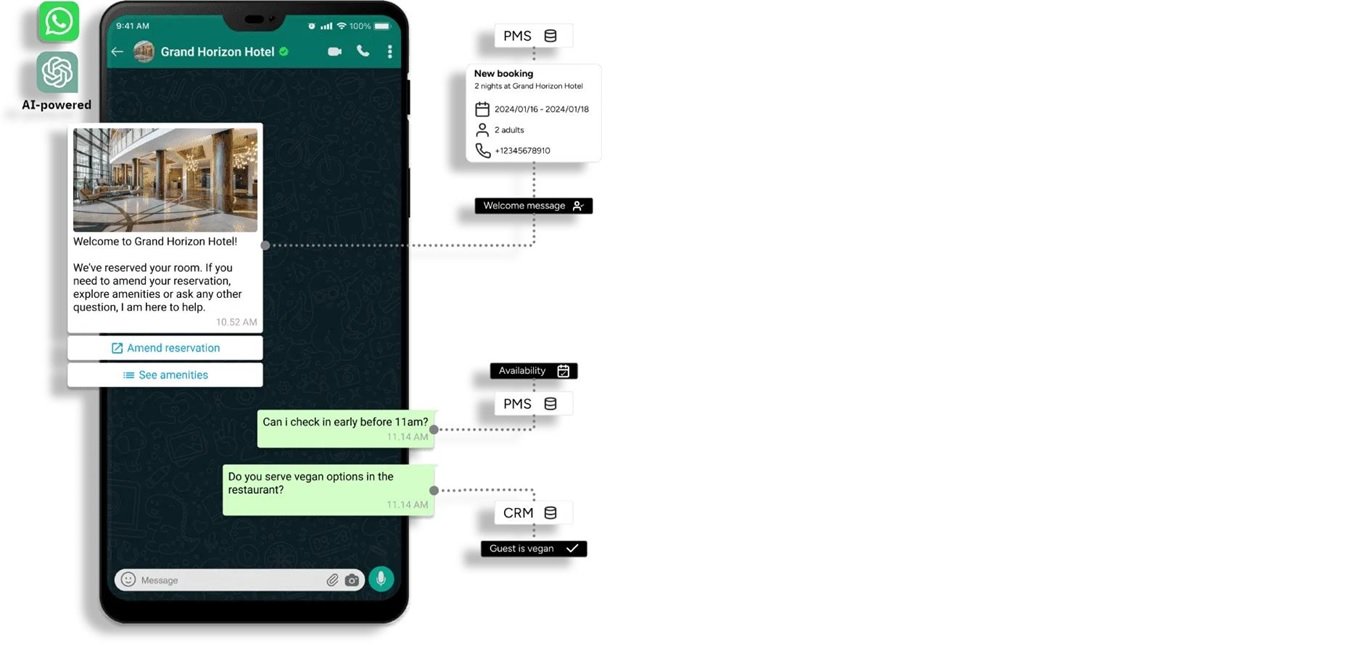
Timing matters in communication.
Whether it’s a sales follow-up, reminder, or marketing message, sending it at the right time can make a huge difference.
The problem? Manually sending WhatsApp messages is time-consuming and inefficient.
This guide shows you how to schedule WhatsApp messages using multiple methods—from basic workarounds to advanced automation.
Can You Schedule Messages on WhatsApp?
No, WhatsApp does not have a built-in feature to schedule messages.
However, you can schedule WhatsApp messages using:
- Manual workarounds (limited functionality)
- Third-party tools (basic scheduling)
- WhatsApp Business API (fully automated and scalable)
The only reliable way to schedule WhatsApp messages automatically is by using WhatsApp API-based automation tools.
Methods to Schedule WhatsApp Messages
Method 1: Using WhatsApp Business App (Manual Workarounds)
WhatsApp Business does not offer direct scheduling, but you can use basic features:
- Labels: Organize contacts for follow-ups
- Quick Replies: Save common messages
- Reminders: Use phone reminders to send messages manually
Limitations:
- No automatic sending
- Manual effort required
- Not scalable
Method 2: Using Third-Party Apps (Basic Scheduling)
Some apps allow message scheduling with limited automation.
Pros:
- Easy to use
- Basic scheduling features
Cons:
- Reliability issues
- Limited scalability
- May not comply with WhatsApp policies
Insight: Suitable for individuals, not for serious business use.
Method 3: Using WhatsApp Business API (Best Method for Automation)
The WhatsApp Business API is the most effective way to schedule messages automatically at scale.
Unlike manual methods, API-based solutions allow businesses to automate messaging completely.
What you can do with WhatsApp API:
- Schedule messages in advance (date & time)
- Send bulk campaigns to multiple users
- Automate follow-ups and reminders
- Integrate with CRM and marketing tools
Key insight: If your goal is lead generation, follow-ups, or marketing automation, API-based scheduling is the only scalable solution.
Step-by-Step: How to Schedule WhatsApp Messages Automatically
Follow these steps to fully automate WhatsApp message scheduling:
Step 1: Set Up WhatsApp Business API
- Choose an official WhatsApp API provider
- Complete Meta business verification
Step 2: Connect Your WhatsApp Number
- Link your business number to the platform
- Ensure the number is active and approved
Step 3: Create a Message Template
- Write a clear, engaging message
- Submit for WhatsApp approval (required for outbound messages)
Step 4: Select Audience
- Choose contacts, segments, or lead lists
- Target the right users for better results
Step 5: Schedule Date and Time
- Pick the exact time you want the message sent
- Align timing with user behavior for higher engagement
Step 6: Activate Automation
- Launch the campaign
- Messages will be sent automatically without manual effort
Result: Your WhatsApp messages are delivered automatically at the right time, improving response rates and conversions.
Use Cases for Scheduling WhatsApp Messages
- Appointment Reminders: Reduce no-shows
- Marketing Campaigns: Send offers at peak times
- Follow-Ups: Engage leads automatically
- Event Notifications: Remind attendees
- Customer Engagement: Stay connected consistently
Benefits of Scheduling WhatsApp Messages
- Saves Time: Eliminates manual follow-ups
- Improves Response Rates: Messages sent at optimal times
- Increases Conversions: Timely communication drives action
- Ensures Consistency: No missed messages or delays
- Scales Easily: Handle thousands of users automatically
Key takeaway: Scheduled messaging directly improves engagement and revenue outcomes.
Common Mistakes to Avoid
- Over-Messaging: Too many messages annoy users
- Wrong Timing: Poor timing reduces engagement
- Lack of Personalization: Generic messages perform poorly
Tip: Always focus on relevance and timing.
Why Businesses Choose Platforms Like Livserv.ai for WhatsApp Scheduling
Automation platforms like Livserv.ai make WhatsApp scheduling simple and scalable.
- Easy Scheduling: Set messages once and automate completely
- Lead Generation Focus: Capture and nurture leads automatically
- WhatsApp Automation: Build end-to-end workflows
- Chatbot Integration: Engage users instantly
Practical advantage: Businesses can automate follow-ups, campaigns, and customer engagement without manual effort.
FAQs: Scheduling WhatsApp Messages
Can you schedule messages on WhatsApp?
No, not natively. You need third-party tools or WhatsApp API.
Is it free to schedule messages?
Basic methods may be free, but automation tools usually have costs.
What is the best way to schedule WhatsApp messages?
Using WhatsApp Business API is the most reliable method.
Can businesses automate WhatsApp messages?
Yes, using API-based platforms.
Is WhatsApp automation safe?
Yes, when using official API providers.
Can I send bulk scheduled messages?
Yes, using WhatsApp API solutions.
Conclusion: What’s the Best Way to Schedule WhatsApp Messages?
The best way to schedule WhatsApp messages depends on your needs:
- Manual methods: Suitable for personal use
- Third-party tools: Limited and basic
- WhatsApp API: Best for automation and business growth
Final answer: If you want reliable, scalable, and automated scheduling, WhatsApp API is the best solution.
Platforms like Livserv.ai help businesses automate messaging, improve engagement, and increase conversions through WhatsApp.