Day: March 31, 2026

  • WhatsApp Broadcast: Complete Guide for Businesses (Step-by-Step Setup)

    WhatsApp Broadcast: Complete Guide for Businesses (Step-by-Step Setup)

    WhatsApp is one of the most powerful marketing channels today.

    With billions of users, it gives businesses a direct way to reach customers instantly.

    The challenge? Most businesses don’t know how to send bulk messages effectively without spamming or getting blocked.

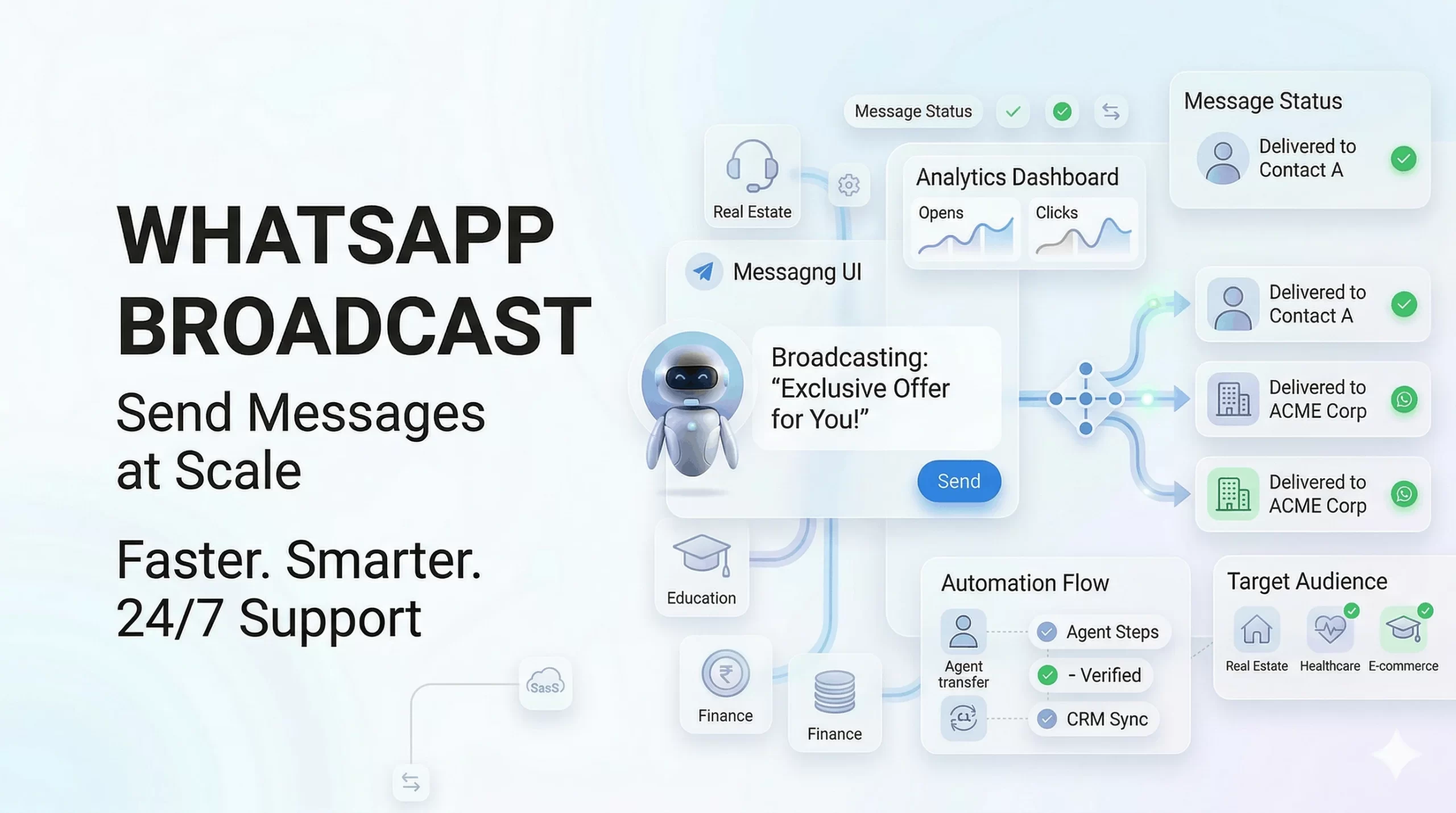
    This guide will show you exactly how to use WhatsApp broadcast step-by-step, including real setup links and scalable methods.


    What is WhatsApp Broadcast?

    WhatsApp broadcast is a feature that allows you to send a single message to multiple contacts individually, without creating a group.

    Each recipient receives the message as a private chat.

    Key difference:

    • Broadcast: One-to-many, private conversations
    • Group: Many-to-many, visible to all participants

    Direct answer: WhatsApp broadcast lets you send bulk messages while maintaining personal conversations.


    How WhatsApp Broadcast Works

    • Messages are sent individually to each contact
    • Important: Users must have your number saved to receive messages (for app-based broadcast)
    • Replies come as private chats

    Limitation: Without API, reach is restricted and not scalable.


    Types of WhatsApp Broadcast Methods

    Method 1: WhatsApp Business App (Basic Method)

    Step-by-Step:

    1. Open WhatsApp Business app
    2. Tap the three-dot menu (top right)
    3. Click New Broadcast
    4. Select contacts
    5. Type your message and send

    Limitations:

    • Contacts must save your number
    • Limited number of recipients
    • No automation or scheduling

    Method 2: WhatsApp Business API (Best for Businesses)

    WhatsApp Business API enables scalable broadcast messaging without the limitations of the app.

    What you get:

    • Bulk messaging at scale
    • No contact-saving dependency
    • Automation and scheduling
    • CRM integration

    Step-by-Step Setup Using WhatsApp API

    Follow these steps to start WhatsApp broadcast at scale:

    Step 1: Create Meta Business Account

    Go to: https://business.facebook.com/

    • Create or log in to your account
    • Add your business details

    Step 2: Apply for WhatsApp Business API

    Go to: https://www.whatsapp.com/business/api

    • Submit your business details
    • Request API access

    Step 3: Verify Your Business

    • Upload legal documents
    • Complete Meta business verification

    Step 4: Choose a Solution Provider

    • You need a platform to use the API
    • Providers like Livserv.ai help with setup, automation, and campaigns

    Step 5: Set Up Broadcast Campaigns

    • Create message templates
    • Select audience segments
    • Schedule or send campaigns

    Result: You can send bulk WhatsApp messages automatically at scale.


    WhatsApp Broadcast vs WhatsApp Groups

    FeatureBroadcastGroup
    Message TypeOne-to-manyMany-to-many
    PrivacyPrivate chatsVisible to all
    RepliesIndividualGroup visible
    Use CaseMarketing, updatesDiscussions

    Benefits of WhatsApp Broadcast

    • Direct Communication: Reach users instantly
    • High Open Rates: WhatsApp messages are highly read
    • Personalized Messaging: Feels like 1:1 conversation
    • Scalable Outreach: Send to large audiences

    Use Cases for WhatsApp Broadcast

    • Promotions and offers
    • Product launches
    • Event announcements
    • Appointment reminders
    • Customer re-engagement

    Best Practices for WhatsApp Broadcast

    • Avoid Spam: Send only relevant messages
    • Personalize Content: Use names and segments
    • Segment Audience: Target the right users
    • Optimize Timing: Send at peak engagement hours

    Common Mistakes to Avoid

    • Sending irrelevant messages
    • Overusing broadcasts
    • Ignoring opt-in requirements

    Key insight: Poor messaging leads to blocks and low engagement.


    WhatsApp Broadcast for Marketing (Advanced)

    • Campaign Strategy: Plan structured campaigns
    • Segmentation: Divide audience based on behavior
    • Automation: Use tools for follow-ups and sequences

    Insight: Businesses using automation see higher conversions.


    Why Businesses Use Platforms Like Livserv.ai

    Platforms like Livserv.ai simplify WhatsApp broadcast and automation.

    • Bulk messaging campaigns
    • Automation workflows
    • Scheduling messages
    • Chatbot integration

    Positioning: It helps businesses scale communication and improve engagement.


    FAQs: WhatsApp Broadcast

    What is WhatsApp broadcast?

    It allows sending a message to multiple contacts individually.

    Is WhatsApp broadcast free?

    It is free in the app, but API usage involves costs.

    How many contacts can I send?

    App has limits, API allows large-scale messaging.

    Can I send messages without saving contacts?

    Only with WhatsApp API.

    Is WhatsApp broadcast safe?

    Yes, when used with official tools.

    Can I automate broadcasts?

    Yes, using WhatsApp Business API platforms.

    What is the best method for businesses?

    WhatsApp API is the best for scalability.


    Conclusion: Start Using WhatsApp Broadcast Today

    WhatsApp broadcast is one of the most effective ways to reach customers directly.

    • Basic method → simple but limited
    • API method → scalable and powerful

    Final takeaway: For serious marketing and automation, use WhatsApp Business API.

    Platforms like Livserv.ai help you set up broadcast campaigns, automate messaging, and scale your business communication.
  • How to Schedule Messages on WhatsApp (Step-by-Step Guide for 2026)

    How to Schedule Messages on WhatsApp (Step-by-Step Guide for 2026)

    Timing matters in communication.

    Whether it’s a sales follow-up, reminder, or marketing message, sending it at the right time can make a huge difference.

    The problem? Manually sending WhatsApp messages is time-consuming and inefficient.

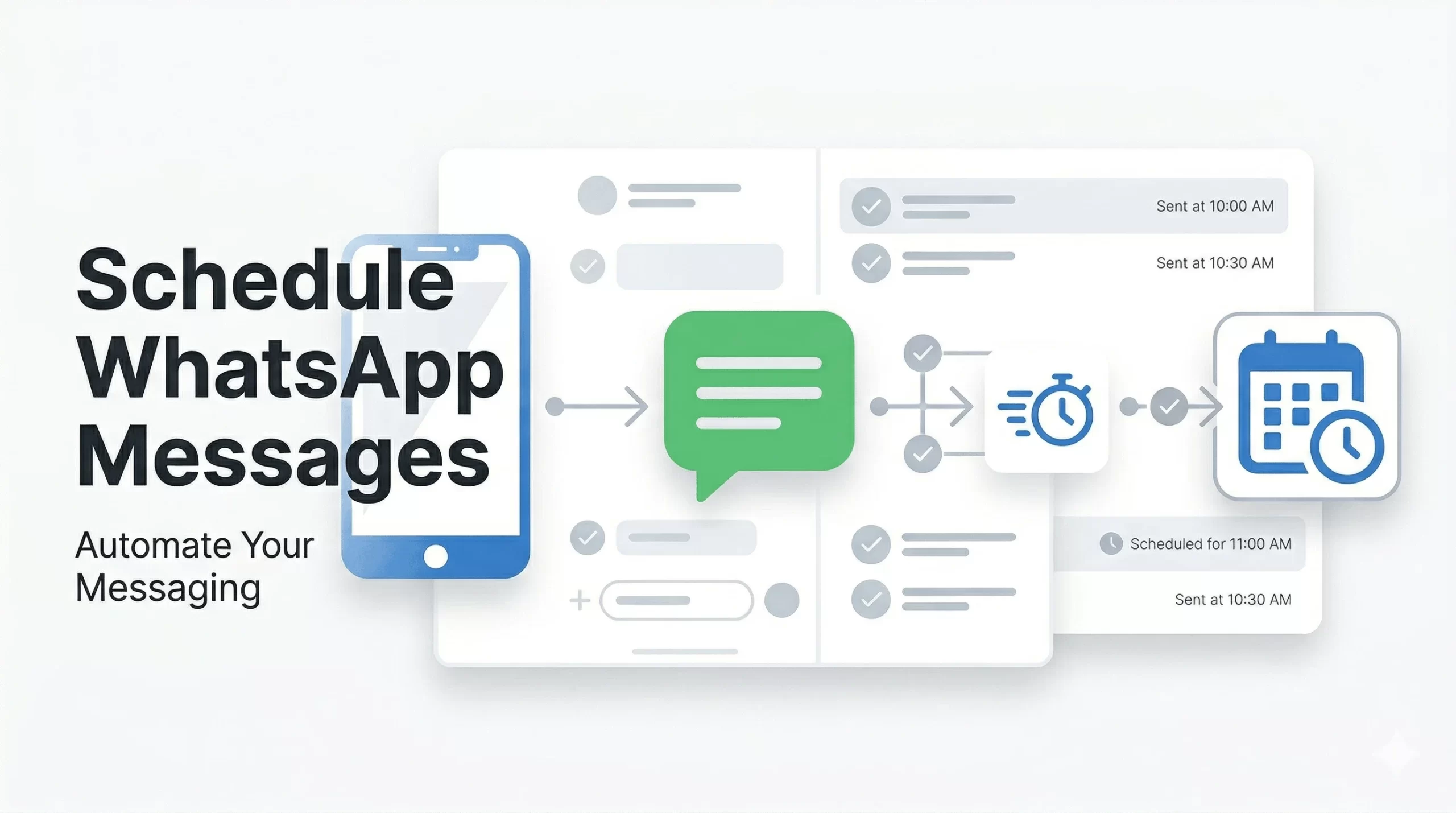
    This guide shows you how to schedule WhatsApp messages using multiple methods—from basic workarounds to advanced automation.


    Can You Schedule Messages on WhatsApp?

    No, WhatsApp does not have a built-in feature to schedule messages.

    However, you can schedule WhatsApp messages using:

    • Manual workarounds (limited functionality)
    • Third-party tools (basic scheduling)
    • WhatsApp Business API (fully automated and scalable)

    The only reliable way to schedule WhatsApp messages automatically is by using WhatsApp API-based automation tools.


    Methods to Schedule WhatsApp Messages

    Method 1: Using WhatsApp Business App (Manual Workarounds)

    WhatsApp Business does not offer direct scheduling, but you can use basic features:

    • Labels: Organize contacts for follow-ups
    • Quick Replies: Save common messages
    • Reminders: Use phone reminders to send messages manually

    Limitations:

    • No automatic sending
    • Manual effort required
    • Not scalable

    Method 2: Using Third-Party Apps (Basic Scheduling)

    Some apps allow message scheduling with limited automation.

    Pros:

    • Easy to use
    • Basic scheduling features

    Cons:

    • Reliability issues
    • Limited scalability
    • May not comply with WhatsApp policies

    Insight: Suitable for individuals, not for serious business use.


    Method 3: Using WhatsApp Business API (Best Method for Automation)

    The WhatsApp Business API is the most effective way to schedule messages automatically at scale.

    Unlike manual methods, API-based solutions allow businesses to automate messaging completely.

    What you can do with WhatsApp API:

    • Schedule messages in advance (date & time)
    • Send bulk campaigns to multiple users
    • Automate follow-ups and reminders
    • Integrate with CRM and marketing tools

    Key insight: If your goal is lead generation, follow-ups, or marketing automation, API-based scheduling is the only scalable solution.


    Step-by-Step: How to Schedule WhatsApp Messages Automatically

    Follow these steps to fully automate WhatsApp message scheduling:

    Step 1: Set Up WhatsApp Business API

    • Choose an official WhatsApp API provider
    • Complete Meta business verification

    Step 2: Connect Your WhatsApp Number

    • Link your business number to the platform
    • Ensure the number is active and approved

    Step 3: Create a Message Template

    • Write a clear, engaging message
    • Submit for WhatsApp approval (required for outbound messages)

    Step 4: Select Audience

    • Choose contacts, segments, or lead lists
    • Target the right users for better results

    Step 5: Schedule Date and Time

    • Pick the exact time you want the message sent
    • Align timing with user behavior for higher engagement

    Step 6: Activate Automation

    • Launch the campaign
    • Messages will be sent automatically without manual effort

    Result: Your WhatsApp messages are delivered automatically at the right time, improving response rates and conversions.


    Use Cases for Scheduling WhatsApp Messages

    • Appointment Reminders: Reduce no-shows
    • Marketing Campaigns: Send offers at peak times
    • Follow-Ups: Engage leads automatically
    • Event Notifications: Remind attendees
    • Customer Engagement: Stay connected consistently

    Benefits of Scheduling WhatsApp Messages

    • Saves Time: Eliminates manual follow-ups
    • Improves Response Rates: Messages sent at optimal times
    • Increases Conversions: Timely communication drives action
    • Ensures Consistency: No missed messages or delays
    • Scales Easily: Handle thousands of users automatically

    Key takeaway: Scheduled messaging directly improves engagement and revenue outcomes.


    Common Mistakes to Avoid

    • Over-Messaging: Too many messages annoy users
    • Wrong Timing: Poor timing reduces engagement
    • Lack of Personalization: Generic messages perform poorly

    Tip: Always focus on relevance and timing.


    Why Businesses Choose Platforms Like Livserv.ai for WhatsApp Scheduling

    Automation platforms like Livserv.ai make WhatsApp scheduling simple and scalable.

    • Easy Scheduling: Set messages once and automate completely
    • Lead Generation Focus: Capture and nurture leads automatically
    • WhatsApp Automation: Build end-to-end workflows
    • Chatbot Integration: Engage users instantly

    Practical advantage: Businesses can automate follow-ups, campaigns, and customer engagement without manual effort.


    FAQs: Scheduling WhatsApp Messages

    Can you schedule messages on WhatsApp?

    No, not natively. You need third-party tools or WhatsApp API.

    Is it free to schedule messages?

    Basic methods may be free, but automation tools usually have costs.

    What is the best way to schedule WhatsApp messages?

    Using WhatsApp Business API is the most reliable method.

    Can businesses automate WhatsApp messages?

    Yes, using API-based platforms.

    Is WhatsApp automation safe?

    Yes, when using official API providers.

    Can I send bulk scheduled messages?

    Yes, using WhatsApp API solutions.


    Conclusion: What’s the Best Way to Schedule WhatsApp Messages?

    The best way to schedule WhatsApp messages depends on your needs:

    • Manual methods: Suitable for personal use
    • Third-party tools: Limited and basic
    • WhatsApp API: Best for automation and business growth

    Final answer: If you want reliable, scalable, and automated scheduling, WhatsApp API is the best solution.

    Platforms like Livserv.ai help businesses automate messaging, improve engagement, and increase conversions through WhatsApp.

  • WhatsApp Blue Tick Verification: How to Get Verified in 2026

    WhatsApp Blue Tick Verification: How to Get Verified in 2026

    WhatsApp Blue Tick Verification: Complete Guide for Businesses (2026)

    Trust is everything in business communication.

    When customers see a verified badge on WhatsApp, they instantly feel more confident engaging with your brand.

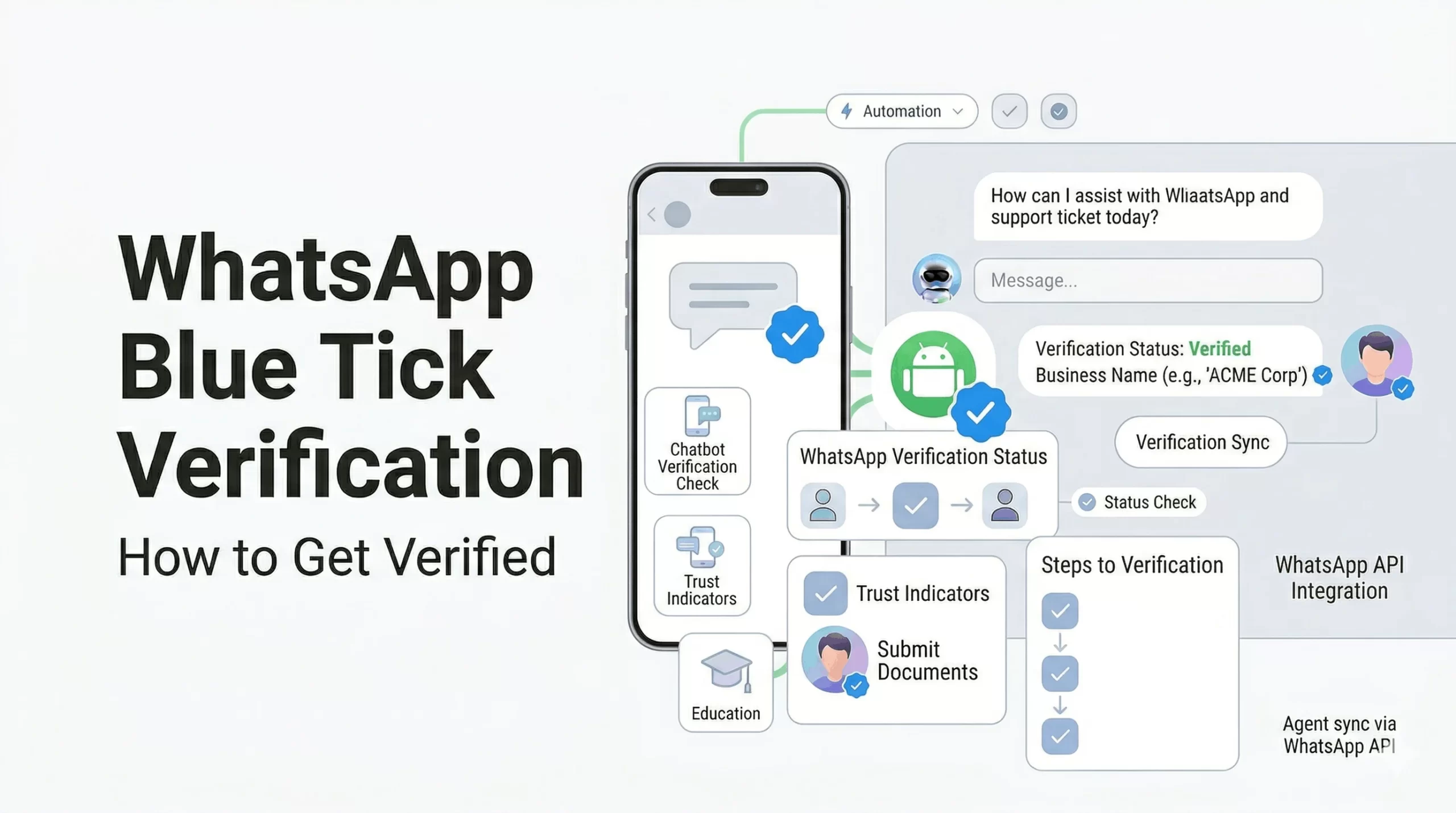
    This guide explains WhatsApp blue tick verification, how it works, and exactly how to get it for your business.


    What is WhatsApp Blue Tick Verification?

    WhatsApp blue tick verification is an official badge given to verified business accounts, confirming that the account belongs to a notable and authentic brand.

    This badge appears next to your business name, even if the number is not saved by the user.

    Key point: Only approved businesses get this badge, making it a strong trust signal.


    Benefits of WhatsApp Blue Tick Verification

    • Builds Trust: Customers recognize your brand as authentic
    • Higher Engagement: People are more likely to respond
    • Brand Visibility: Name appears without saving contact
    • Improved Conversions: Trust leads to better sales
    • Reduced Spam Perception: Users see you as legitimate

    Insight: Verified accounts typically see better response rates and engagement.


    WhatsApp Business Account Types

    1. Regular Business Account

    • Created using WhatsApp Business App
    • No verification badge
    • Basic features

    2. Official Business Account (Blue Tick)

    • Verified by Meta
    • Displays blue tick badge
    • Higher trust and visibility

    Key difference: Only official business accounts get the blue tick.


    Eligibility Criteria for WhatsApp Blue Tick

    WhatsApp does not approve every business. You must meet specific criteria:

    • Business Authenticity: Verified business details
    • Brand Recognition: Known brand presence
    • Media Coverage: Articles or PR mentions
    • Active Usage: Regular WhatsApp communication

    Important: Notability is one of the biggest factors in approval.


    How to Get WhatsApp Blue Tick Verification (Step-by-Step)

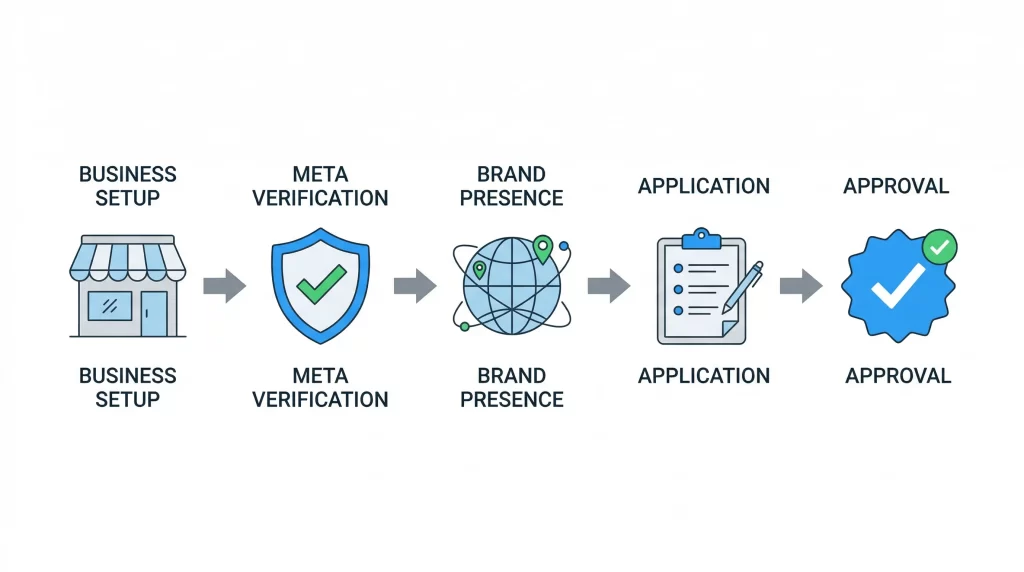
    Step 1: Register for WhatsApp Business API

    • You must use WhatsApp Business API (not just the app)
    • Work with an official provider

    Step 2: Verify Your Business with Meta

    • Submit business documents
    • Complete Meta Business verification

    Step 3: Build Strong Brand Presence

    • Create a professional website
    • Maintain active social media profiles
    • Get media coverage or PR mentions

    Step 4: Apply for Official Business Account

    • Submit request through WhatsApp Business Manager
    • Provide brand details and justification

    Step 5: Wait for Approval

    • Meta reviews your application
    • Approval is based on credibility and notability

    Key takeaway: Verification is based on trust, not just application.


    Common Reasons for Rejection

    • Low Brand Presence: No strong online identity
    • No Media Mentions: Lack of credibility signals
    • Incomplete Verification: Missing documents
    • Inactive Usage: Not actively using WhatsApp API

    Insight: Most rejections happen due to lack of brand authority.


    Tips to Increase Approval Chances

    • Build Online Presence: Website + SEO + social media
    • Get Media Coverage: PR articles, news mentions
    • Use WhatsApp Actively: Regular customer engagement
    • Maintain Brand Consistency: Same name across platforms

    Pro tip: Strong brand signals significantly improve approval chances.


    How Livserv.ai Helps with WhatsApp Verification

    Livserv.ai helps businesses streamline the entire process:

    • WhatsApp API Setup: Quick onboarding and integration
    • Automation: Chatbot workflows for engagement
    • Verification Support: Guidance for Meta approval
    • Lead Generation: Convert conversations into customers

    Positioning: It enables businesses to set up WhatsApp automation and improve their chances of verification.


    FAQs: WhatsApp Blue Tick Verification

    How to get WhatsApp blue tick verification?

    You need WhatsApp Business API, Meta verification, and strong brand presence.

    Is WhatsApp verification free?

    No, it requires API access and business setup costs.

    How long does approval take?

    It can take a few days to a few weeks.

    Can small businesses get verified?

    Yes, but they need strong brand visibility and credibility.

    What is the difference between green tick and blue tick?

    Both refer to official business verification, depending on region and UI.

    Is media coverage required?

    Yes, it significantly improves approval chances.


    Conclusion: Build Trust with WhatsApp Verification

    WhatsApp blue tick verification is a powerful trust signal for businesses.

    It helps increase engagement, improve credibility, and drive conversions.

    Final takeaway: Focus on building a strong brand presence before applying.

    Platforms like Livserv.ai can help you set up WhatsApp automation and guide you through the verification process.